

Table of Contents
- What As-Built Documentation Is and Why It Matters
- How As-Built Drawings Differ from Design and Construction Drawings
- As-Built Drawing Examples and What They Capture
- As-Built Drawing Requirements: What Information Must Be Included
- As-Built Documentation Best Practices for Accuracy and Completeness
- Digital As-Built Documentation: Technology and Handover
- Real-World Impact: Maintenance, Compliance, and Future Projects
- Frequently Asked Questions
Last Updated: October 17, 2026
What As-Built Documentation Is and Why It Matters
As-built documentation is the official record of what was actually constructed, capturing every change and deviation from the original design.
Buildings change during construction: a wall moves three inches, conduit runs a different route, a system gets upgraded mid-project.
The importance of as-built documentation becomes clear the moment something fails.
At Elite Connect LLC, we've seen the cost firsthand. Projects with poor documentation ended in finger-pointing, rework, and budget overruns; projects with comprehensive as-built handover moved into operations smoothly.
How As-Built Drawings Differ from Design and Construction Drawings
Design drawings show what the architect intended to build.
As-built drawings document what actually got built, recording every field change and adaptation.
The distinction matters for operations and liability. Design and construction drawings are planning tools; as-built documentation is the source of truth for facility management, maintenance, and future work.
Many property managers and contractors treat as-builts as a checkbox item collected at closeout without scrutiny.
As-Built Drawing Examples and What They Capture
As-built drawings typically include architectural plans, structural details, and mechanical, electrical, and plumbing (MEP) systems, each capturing what was actually installed in that trade.
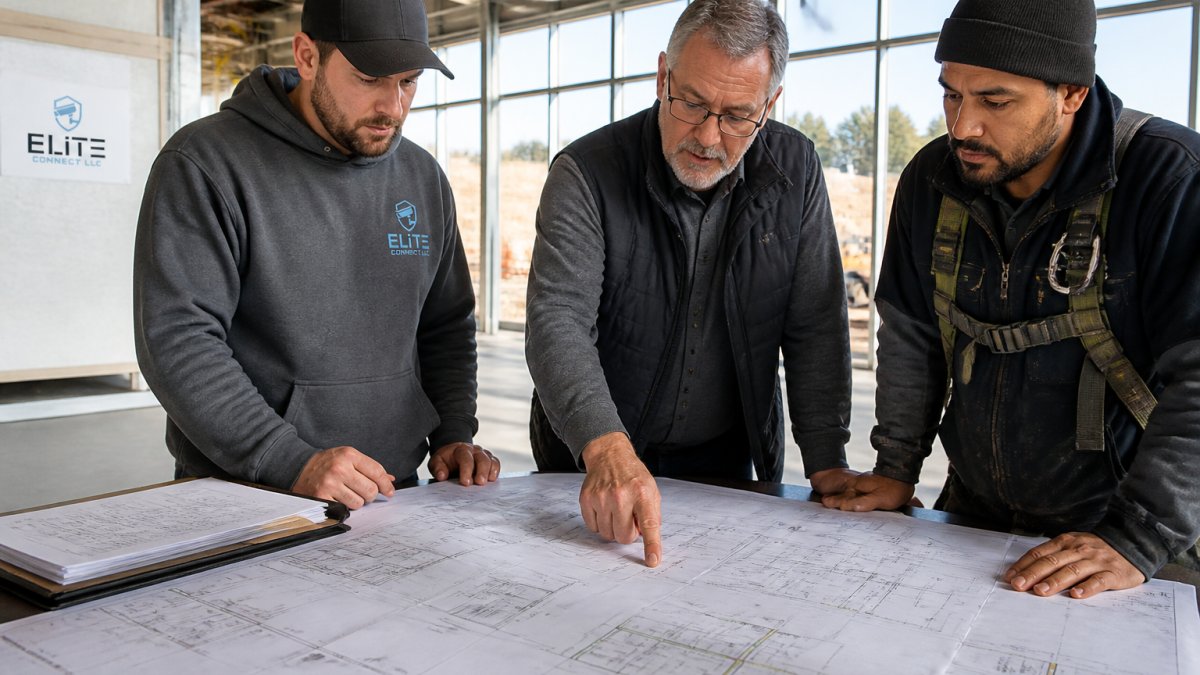
Electrical as-builts capture circuit layouts, panel locations, outlet positions, and where cable was actually run. Structural as-builts document beam and column positions and any reinforcement added.
For low-voltage infrastructure, security systems, data cabling, fiber optics, access control, structured cabling, as-built documentation is even more critical because these systems hide inside walls, ceilings, and cable trays.
The best as-built documentation includes test results, not just drawings.
As-Built Drawing Requirements: What Information Must Be Included
A list of categories is necessary but not sufficient. The harder questions, how accurate the record must be, how completeness is measured, and how unknown conditions are handled, determine whether an as-built record is usable or merely present.
What must be included
A complete as-built record typically captures five categories of information:
- Physical locations and dimensions, equipment locations, cable and pipe routing, structural modifications, and clearances, recorded specifically enough that a technician can locate any component without guessing.
- System configurations and specifications, make, model, capacity, cable type, firmware or software version, and configured settings for each installed asset.
- Changes and deviations, every field change, with a cross-reference to the change order or field directive and a short reason.
- Test and commissioning results, the evidence that each system was tested and passed, attached to the correct asset.
- Operational and handover information, operating instructions, maintenance intervals, vendor contacts, and warranty terms.
Accuracy standards and tolerances
There is no single national tolerance for as-built drawings; be wary of anyone who claims one. Accuracy requirements are set by the contract, the owner's facility standards, or the discipline involved.
- Critical dimensions (structural clearances, life-safety egress paths, burial depths, equipment setbacks), held to the tightest tolerance the project can justify, and independently verified where the consequence of error is high.
- Locational dimensions (where a run or asset sits relative to a reference point), recorded to a stated tolerance and tied to a named reference (column line, grid, benchmark) so the number is reproducible.
- Descriptive information (make, model, capacity, settings), verified against the physical nameplate or configuration screen rather than copied from a submittal.
The key discipline is the stated reference and method. "Twelve feet from the east column line, measured with a laser distance meter" is verifiable; "near the north wall" is not.
Measuring completeness
Completeness can be checked rather than assumed. Practical measures include:
- Asset coverage ratio, the number of installed assets recorded divided by the number of assets the contract scope requires. A ratio below the agreed threshold blocks approval.
- Change traceability, the percentage of field changes with a matching change order or field directive reference. Untraceable changes are the most common audit finding.
- Test coverage, the percentage of systems with an attached test or commissioning record.
These simple counts convert "is the record complete?" from an opinion into a number the owner can accept or reject.
Handling unknown or inaccessible conditions
Every real project has conditions that cannot be fully observed, buried utilities, systems behind finished walls, spaces above hard ceilings, energized equipment that couldn't be opened. The correct treatment is explicit, not silent:
- Mark the condition as unverified on the drawing and in the asset register, with the reason (inaccessible, buried, energized, etc.).
- Record what is known, the last confirmed location, the source of that information, and the date.
- State the assumption if a location must be inferred, and label it as an assumption rather than a measurement.
Quality assurance before acceptance
Quality assurance turns the requirements above into an accepted record. A workable QA sequence: a self-check by the trade that produced the redline, a coordinator review against the completeness measures, an independent spot-check of critical dimensions and labels, and final owner sign-off against the stated tolerances and coverage thresholds. A random sample of critical items catches systemic errors far more reliably than a full review that never happens because it's too expensive.
As-Built Documentation Best Practices for Accuracy and Completeness
Most guides stop at "assign responsibility and document changes as they happen", correct but not actionable. What separates a reliable as-built record from a folder of marked-up drawings is a defined workflow with named roles, scheduled updates, measurable verification, and a formal approval gate. The workflow below scales from a single-tenant renovation to a multi-building portfolio.
Step 1: Assign roles before mobilization
As-built responsibility is usually split across four parties, and confusion about who owns what is the most common cause of incomplete records.
- Owner or owner's representative, defines the required deliverables in the contract, sets the acceptance standard, and holds final approval authority. The owner also owns the record after closeout.
- General contractor (GC), owns the day-to-day as-built process, collects field markups from subcontractors, and maintains the master redline set. On design-bid-build projects this is typically a contract requirement; on design-build it is often folded into the design team's scope.
- Subcontractors and trade foremen, record deviations in their own scope as they occur, on their trade drawings, and hand them to the GC on a defined cadence (weekly is common; monthly is the practical minimum).
A single named "as-built coordinator" on the GC side, even part-time, prevents the record from falling between trades. The coordinator maintains the master set, runs the update cadence, and owns the closeout package.
Step 2: Set the update cadence and the redline method
Real-time capture beats end-of-project reconstruction every time. The practical pattern is:
- Field change occurs, a conduit is rerouted, a wall is relocated, a valve is moved, a panel is relocated.
- Foreman marks the change on the current construction drawing (the redline), with date, initials, and a short note explaining the reason.
- Coordinator transfers the redline to the master as-built set on the agreed cadence, so the master never lags more than one cycle behind field conditions.
- Change order or field directive is cross-referenced by number so the "why" is traceable, not just the "what."
Step 3: Verify against field conditions
Verification is where most as-built programs fail. The record must be checked against what is physically there, not what the drawings say should be there. A workable sequence:
- Walk the space with the marked-up set. Confirm every redline against the installed condition. Photograph each deviation with a reference point (a door frame, a column line, a panel label) so the photo is locatable later.
- Spot-measure critical dimensions. Overall runs, clearances, burial depths, and equipment setbacks should be taped or measured, not estimated. Note the measurement method so a reviewer knows whether a number came from a tape, a laser distance meter, or a total station.
- Confirm terminations and labels. For MEP and low-voltage systems, verify that every cable, pipe, and circuit is terminated where the record says and that physical labels match the drawing labels. Mismatched labels are one of the most common defects found at handover.
Step 4: Apply a completeness checklist before approval
A short, repeatable checklist catches most defects before they reach the owner. At minimum, confirm that:
- Every drawing sheet carries the correct project name, sheet number, revision, and as-built date.
- Every field change has a corresponding redline, change order reference, and reason.
- Every system shown has a matching test or commissioning record.
- Every equipment item has a make, model, and location recorded.
Step 5: Formal approval and handover gate
The as-built record should not be accepted on the honor system. A formal gate, typically tied to substantial completion or closeout, should require the owner's representative (and, where the contract requires it, the design professional) to sign off against the checklist above. Payment of retainage or final closeout is a common and effective lever to enforce the gate. Once approved, the record is frozen as the baseline of record; subsequent changes are tracked as revisions, not folded silently into the original.
Digital As-Built Documentation: Technology and Handover
Building information modeling (BIM) is one approach. A BIM model is a three-dimensional digital representation containing not just geometry but system information, specifications, and operational data.
Reality capture, laser scanning, photogrammetry, point cloud processing, offers another approach, creating precise three-dimensional records of existing conditions without relying on drawings or memory.
The handover process matters as much as the documentation. A facility manager handed a pile of unexplained files will struggle to use them.
Real-World Impact: Maintenance, Compliance, and Future Projects
Accurate as-built documentation directly impacts facility operations and costs.
Compliance becomes easier with clear as-built records. Building codes require certain systems and configurations, auditors verify compliance, and insurers may require safety-system documentation.
Future renovations and expansions depend on accurate as-builts.
As-built documentation also supports liability and risk management.
At Elite Connect LLC, we've learned that comprehensive as-built documentation, including test results and system specifications, eliminates the invisible corner-cutting that plagues many projects.
Accurate as-built documentation isn't optional, it's the foundation of reliable facility operations. Elite Connect LLC delivers comprehensive as-built documentation with test results and system specifications, ensuring your building is documented accurately and completely from day one. Contact Elite Connect LLC for a consultation and discover how meticulous documentation protects your investment and simplifies operations.
Frequently Asked Questions
What is the purpose of as-built drawings?
As-built drawings document the final, constructed condition of a project, what was actually built versus what was originally designed. They record all field changes, deviations, and modifications made during construction, creating an accurate record for facility management, maintenance, compliance verification, and future renovations. For complex systems like access control, structured cabling, and alarm systems, as-builts ensure operators and maintenance teams understand exactly what exists and where.
Why is accurate as-built documentation important?
Accurate as-built documentation is the source of truth for building operations, maintenance planning, and regulatory compliance. Without it, facility managers cannot troubleshoot failures efficiently, plan preventive maintenance, or understand system interdependencies. For projects involving NDAA compliance or government contracts, incomplete or inaccurate as-builts create legal and contractual liability. Accurate records also reduce rework costs and safety risks during renovations or expansions.
How do as-built drawings differ from design drawings?
Design drawings show the architect's or engineer's intent, what should be built. As-built drawings show what was actually constructed, including all field changes, substitutions, and deviations from the original design. Construction drawings guide the build; as-builts verify it. This distinction is critical for facility managers because systems may operate differently than originally planned, and future contractors must work with the real configuration, not the theoretical one.
What information should as-built documentation include?
As-built documentation should include updated floor plans with final locations of systems (electrical, mechanical, plumbing, security, data cabling), all field changes and change orders, material substitutions, test results and certifications, system specifications and settings, cable runs and termination points, equipment serial numbers and warranty information, and any deviations from design. For integrated systems, documentation must clearly show how trades interconnect and their dependencies.